Your first AI win, in under a minute
You don't need to be a tech expert. Pick the tools you already use and Fronterio hands you a lesson or prompt you can try right now, no setup, no credit card. Then it keeps going: lessons matched to your comfort level, peer-shared prompts, Ask Fronterio, and a Microsoft Teams agent so help is always one message away.
AI lessons in a personalised catalogue, matched to your role and refreshed every month
Practical prompts shared by colleagues, ready to reuse in the tools you already have
Ask Fronterio messages per month, including inside Microsoft Teams
How it works for you
AI adoption isn't just a leadership initiative. It's something that changes how you work every day. Most companies hand employees an AI tool and say 'figure it out.' Fronterio is different. It meets you where you are and helps you grow.
Start with a quick onboarding: pick the AI tools you use, rate your comfort level (from 'just starting' to 'advanced'), and set a personal AI goal. From that moment everything you see is tailored to your level and interests: lessons, prompt recommendations, the answers you get back.
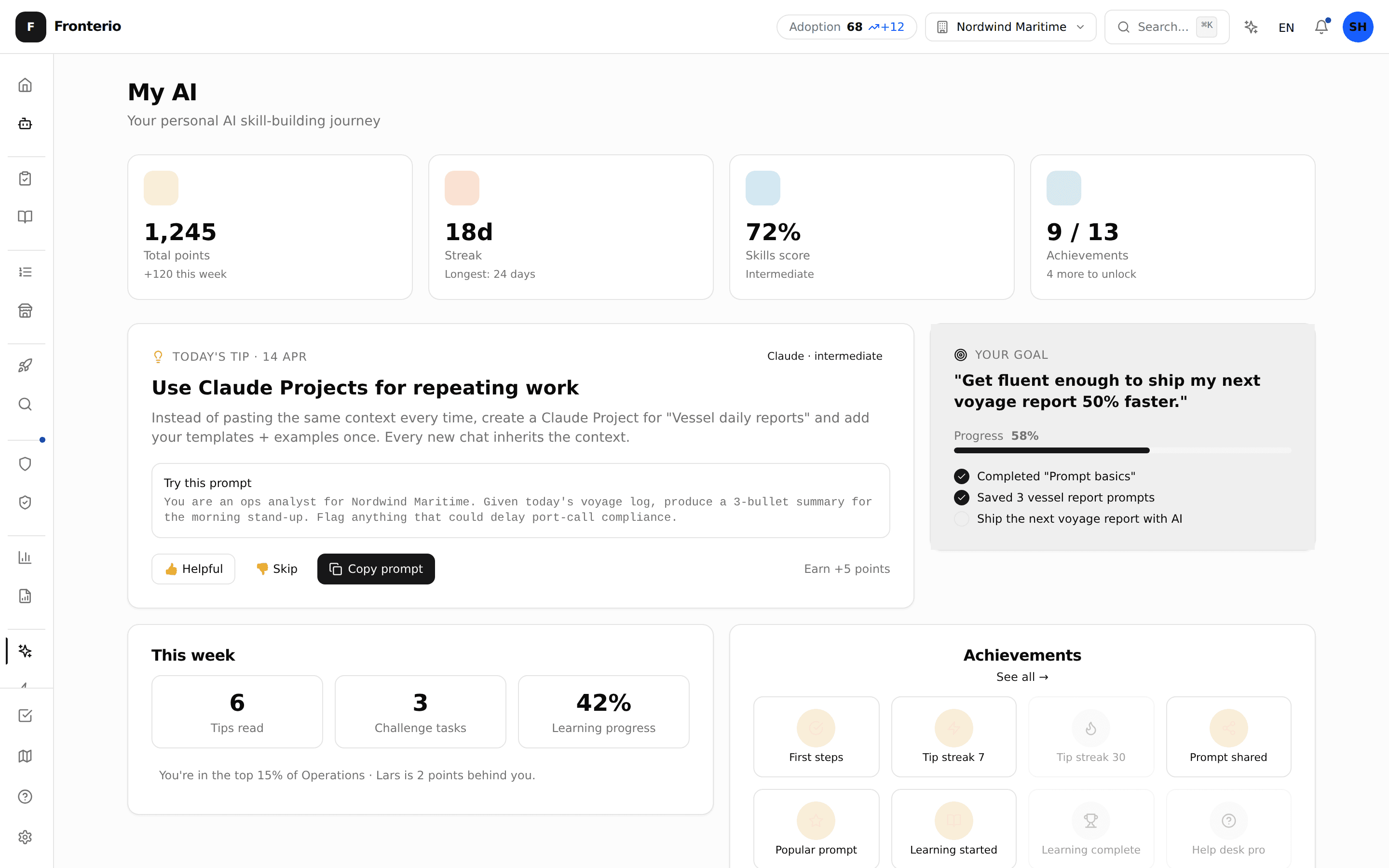
My work is the one personal queue of what needs you. Every item says why it needs you and where it came from. It also shows what you finished this week, your learning progress and your goal. Lessons take under 15 minutes and are matched to your tools and comfort level. There are no points, streaks or leaderboards: what you see is what you actually did.
The learning catalogue holds 500+ bite-sized lessons organised into role-based tracks, and the ones you see are the lessons that help with the work you have been assigned. Each lesson takes 10-15 minutes with interactive examples and quizzes, and fresh lessons land every month. Where a team chooses champions, you can look them up when you need hands-on help.
When you get stuck, Ask Fronterio answers your questions instantly: 20 messages per month, available inside the platform or inside Microsoft Teams. The shared prompt library lets you browse, share, and bookmark prompts that actually work, submitted and voted on by colleagues across your company. AI that meets you where you already work.
The employee difference
Without Fronterio
- Given AI tools with no guidance on how to use them
- Generic online tutorials that don't match your context
- No way to share what works with colleagues: every person reinvents the wheel
- Having to switch to yet another tab when you need AI help
With Fronterio
- Personalised lessons matched to your tools and comfort level
- Personalised learning path from a 500+ lesson catalogue, with quizzes
- A shared prompt library to share, vote, and discover what works
- Ask Fronterio inside Microsoft Teams: help without leaving your chat
Everything you get
My work
Your work, your goal and your learning progress in one place. Personalised lessons and a clear next step, without a score attached.
Learn on Real Work
Short, practical lessons you apply to a task you already have. Try it, log what you finished, move on. No pressure, plenty of momentum.
Ask Fronterio + Teams Agent
Stuck on something? Ask Fronterio, in the platform or inside Microsoft Teams. It understands your company context and gives practical answers. 20 messages per month included.
Learning paths + champions
A catalogue of 500+ lessons across role-based tracks, and you see the ones that help with the work you have been assigned. 10-15 minutes each, with quizzes and practical exercises, and fresh lessons every month. Where a team chooses champions, in-house expertise is easy to find.
Fronterio in Microsoft Teams: AI help without leaving the chat
Switching tabs breaks your flow. The Fronterio Microsoft Teams agent (Pro + Enterprise) puts Ask Fronterio, the shared prompt library and My work inside every Teams conversation. Ask a quick question. Paste a draft email and get a rewrite. Pull a prompt from the library. Check your learning progress. The same company context, the same governance, the same audit trail, in the chat window you already have open.
See how adoption worksGetting started takes 5 minutes
Quick onboarding
Pick your AI tools, rate your comfort level, set a personal goal. Five steps, under five minutes.
Get your first win
A prompt you can use lands in My work the moment you finish onboarding. In about 30 seconds you have something you can paste into the tool you already use and watch it work.
Try a learning module
Pick a 10-minute module that interests you. Interactive examples, copy-to-clipboard prompts, and a quiz to test yourself. Every lesson you finish is recorded as learning evidence.
Share, learn, grow
Browse the shared prompt library, submit your own, and chat with Ask Fronterio inside Teams. AI adoption is easier when you do it together.
Make AI accessible for your whole team
It is included in every paid plan (Pro, Business, and Enterprise) for your whole company. No per-seat charge.